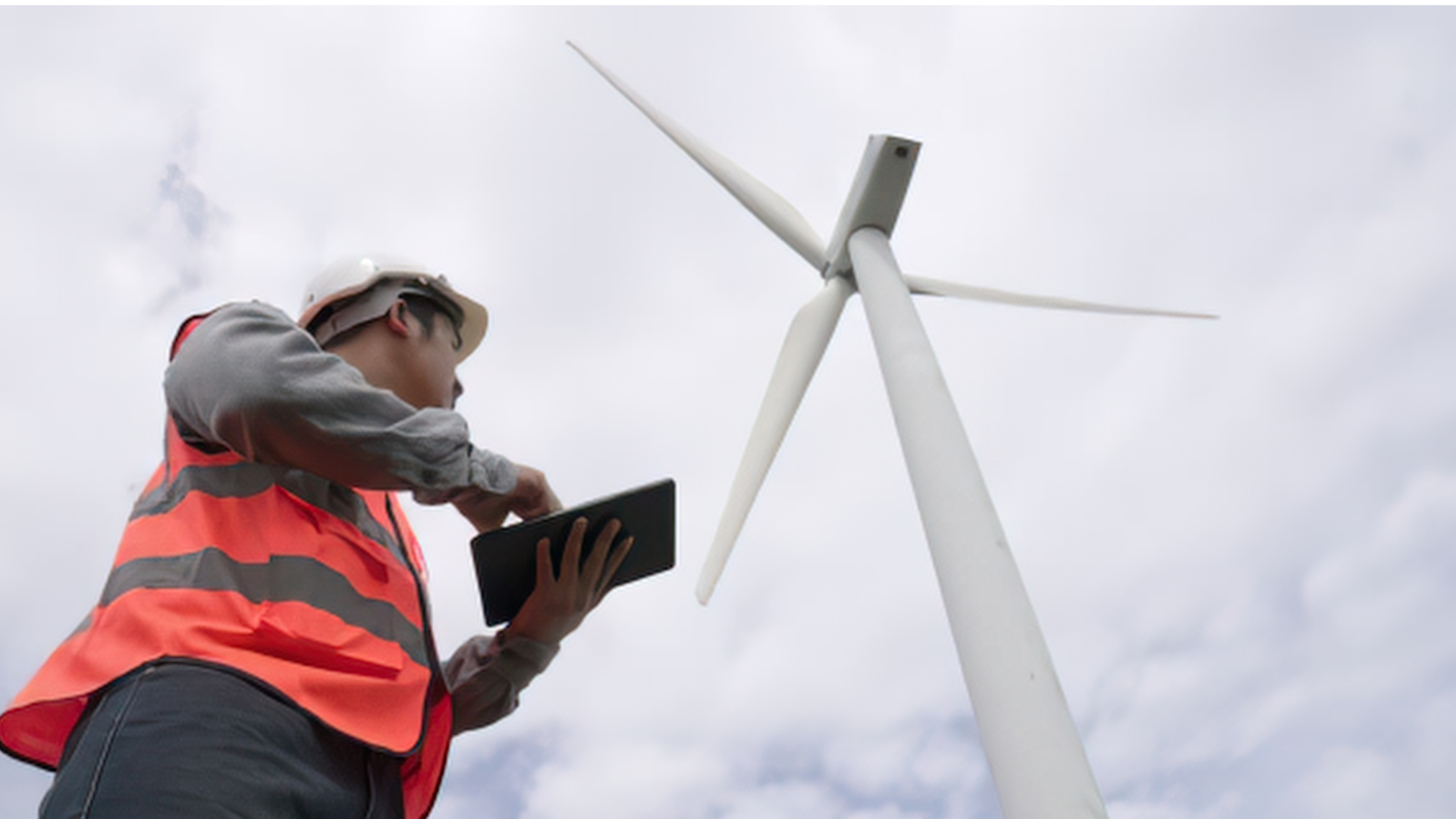
Field data platform for wind energy operations & maintenance
Wind Farm O&M Software That Connects Field Data to Operational Insight
aQRate gives wind farm O&M teams one structured workflow for turbine inspections — capture observations, measurements and photos on site (even without signal), keep every record connected to the right turbine and component, and turn field data into reports, GIS views and digital-twin visualizations.
Up to 50% less admin work managing field data
The operational reality
Wind O&M generates data everywhere. Keeping it together is the hard part.
A single blade inspection produces a blade identifier, an erosion grade, a lightning-receptor resistance reading, a tip-mechanism check, photos and technician notes. Multiply that across a fleet of turbines, subsystems and components, and your O&M program generates information constantly.
Field teams usually capture the right information. The challenge is what happens next: photos land in phone galleries, readings in spreadsheets, findings in PDFs, notes on paper — fragmented between mobile apps, folders and other systems.
Every handoff below is administrative work. aQRate is designed to reduce that friction.
Field
Office
Review
Reporting
Asset management
Information deficit
Reduce administrative work
Spend less time managing field data.
Field teams generate the information. The overhead comes from everything that has to happen to it afterwards. aQRate is built to cut that overhead.
50%
less, at the top end
aQRate can reduce the administrative work associated with managing field data by up to 50% — an aQRate value claim based on reducing manual handling across the workflow. Actual results vary by organization.
The claim covers the handling, not the engineering: the time your team spends moving, re-entering and reassembling field information — not the time spent maintaining turbines.
Where the hours go — and where aQRate gives them back
- Disconnected workflow
- With aQRate
Manual data entry from paper or disconnected apps
Transferring information between systems
Organizing field records after the visit
Sorting inspection photos to match findings
Reconstructing reports from disconnected files
Searching through disconnected records
Manually consolidating information for management review
Wind farm O&M workflow
From the field visit to the O&M decision, in one connected workflow.
aQRate fits the way wind turbine inspection and maintenance actually runs. Each step below is supported by the same platform — so information moves forward instead of getting re-handled.
01
Plan & assign
Schedule inspections and maintenance visits, and dispatch technicians with work orders.
02
Inspect in the field
Work happens at the turbine — onshore, remote, at the end of a long access road.
03
Capture structured data
Guided forms record erosion grades, receptor resistance (Ω), pass/fail checks and photos.
04
Work offline
No signal required. Records, measurements and photos are captured and stored on the device.
05
Sync
Records upload automatically when the app regains connectivity.
06
Connect to assets
Every record attaches to its wind farm, turbine, subsystem and component.
07
Review & report
Office teams review submissions and generate O&M audit reports from the structured records.
08
Visualize
Fleet GIS Map and Asset Digital Twin views put records in geographic and structural context.
09
Make better-informed O&M decisions
Maintenance planning draws on complete, connected asset information.
Offline field data collection
Built for the parts of a wind farm where signal disappears.
Wind turbines stand on ridge lines, across open plains and at the end of long access roads — environments where connectivity is limited or unavailable. aQRate's mobile apps are offline-first, so the inspection doesn't stop when the signal does.
Technicians capture inspections, observations, measurements, photos, technician notes, and asset and component information as structured records. When connectivity returns, the app syncs — and the wider team can work from the same information.
1. Capture in the field
Open the inspection form at the turbine. Structured fields, photos and measurements — no signal needed.
2. Keep working offline
Records, evidence and technician notes are stored safely on the device until coverage returns.
3. Sync when connected
Back in coverage, the app synchronizes automatically — the complete record, not fragments of it.
4. The team gets the information
Reviewers, managers, reports and dashboards draw on the same connected records.
Wind Farm O&M Starter Template
Capture the full turbine inspection record.
The starter template is a ready-made aQRate workspace for wind turbine O&M. Its Rotor & Blade Inspection form captures the blade identifier, leading-edge erosion grade, surface cracking or delamination, lightning-receptor resistance (Ω), tip-mechanism function and a blade log photo — on a phone that keeps working without signal. It ships with 160 sample records to explore, the Fleet GIS Map, the Asset Digital Twin view, and the Wind Turbine 3-Page O&M Audit report template.
Rotor & Blade Inspection-Repeated Form
Blade Identifier*
Leading-Edge Erosion*
Surface Cracking/Delamination*
Lightning Receptor Resistance (Ω)*
Tip Mechanism Function *
Blade Log Photo
Rotor & Blade Inspection-Repeated Form
Blade C
None
None
0.02
Pass
Photo captured
Report ready: Wind Turbine 3-Page O&M Audit
Connected asset information
Don't just store inspection data. Keep it connected to the asset it describes.
A pile of inspection records is not the same as knowing your assets. What makes information useful is the relationship behind it.
In aQRate, structure is the relationship: Wind Farm → Turbine → Subsystem → Component → Inspection → Observation → Photo / Measurement / Finding → Report. Every blade log photo, receptor reading and maintenance finding stays attached to the blade it documents — and every report draws from that same chain.
A collection of inspection records
Tells you an inspection happened. The photos, readings and findings are in there — somewhere.
Connected information about an asset
Tells you which farm, which turbine, which component, what was found, what was measured — and what was reported.
Inspection reporting
Reports without rebuilding the data.
When findings live in photos, spreadsheets and PDFs, someone eventually rebuilds the inspection just to report on it. In aQRate, the report draws on the structured records the technician already captured.
Teams configure PDF report templates and map accepted field information into defined report sections — no reconstructing the inspection from disconnected files. The Wind Farm O&M Starter Template includes the Wind Turbine 3-Page O&M Audit, and Excel export moves data into the systems you already use.
Fleet GIS Map
See condition and history across your wind farm — geographically.
Wind assets are distributed by nature. The Fleet GIS Map plots turbine locations with their asset records and inspection information, so you read the site the way it actually lays out: which turbines, which findings, where.
GIS adds geographic context to asset records and inspection activity. It’s operational visibility, not prediction — the map shows what your teams found, and where.
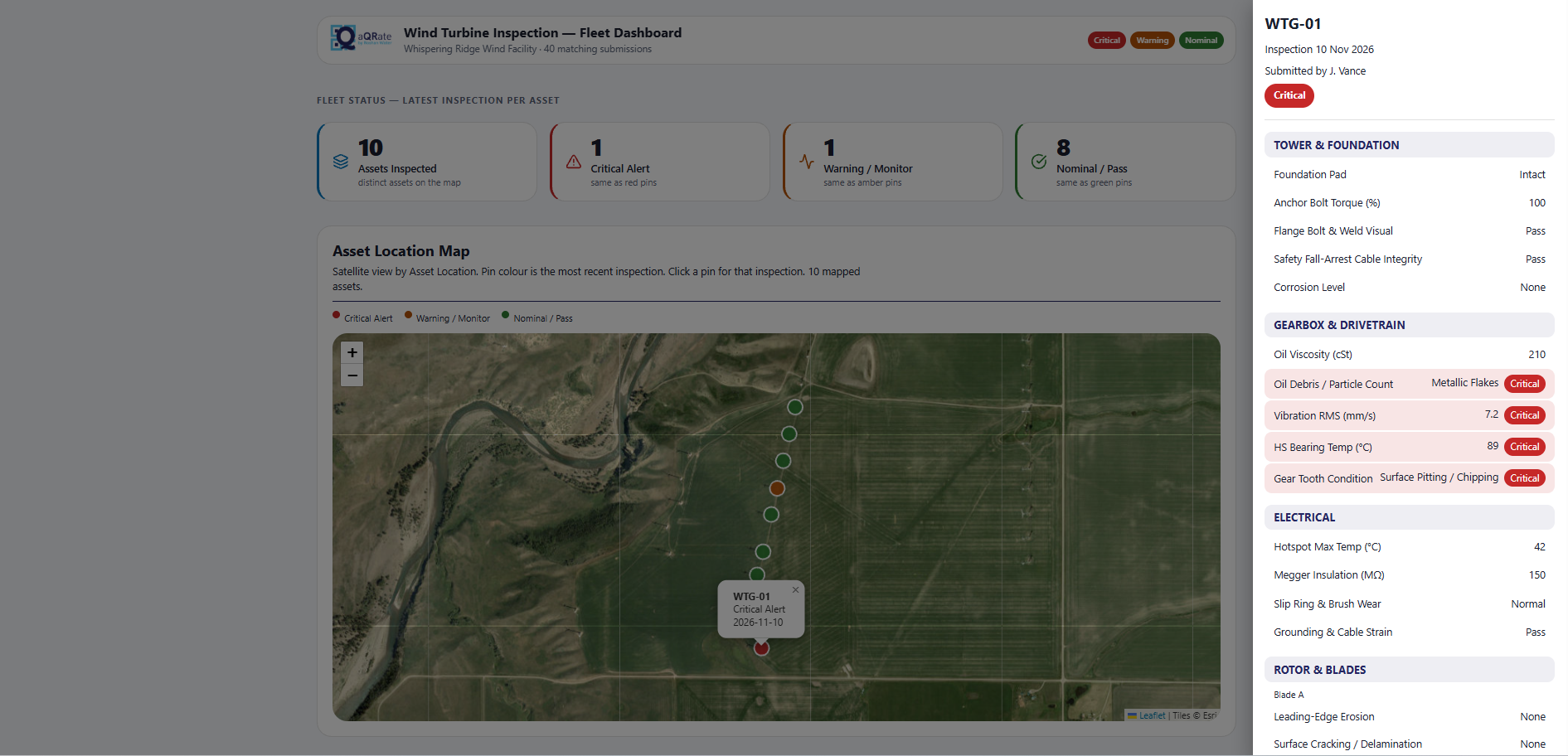 Fleet GIS Map view from the Wind Farm O&M Starter Template (sample data). Click the picture to open the live view in the aQRate portal and see the full report.
Asset Digital Twin
From physical turbine to digital representation.
The Asset Digital Twin view connects your structured field information to a visual model of the turbine. Select a component and the twin shows the inspection data behind it — moving from an asset-level view down to component and observation detail.
It’s an operational visualization of connected asset information — a way to see what your field data says about the machine — not a physics-based predictive twin.
Read the full demo use case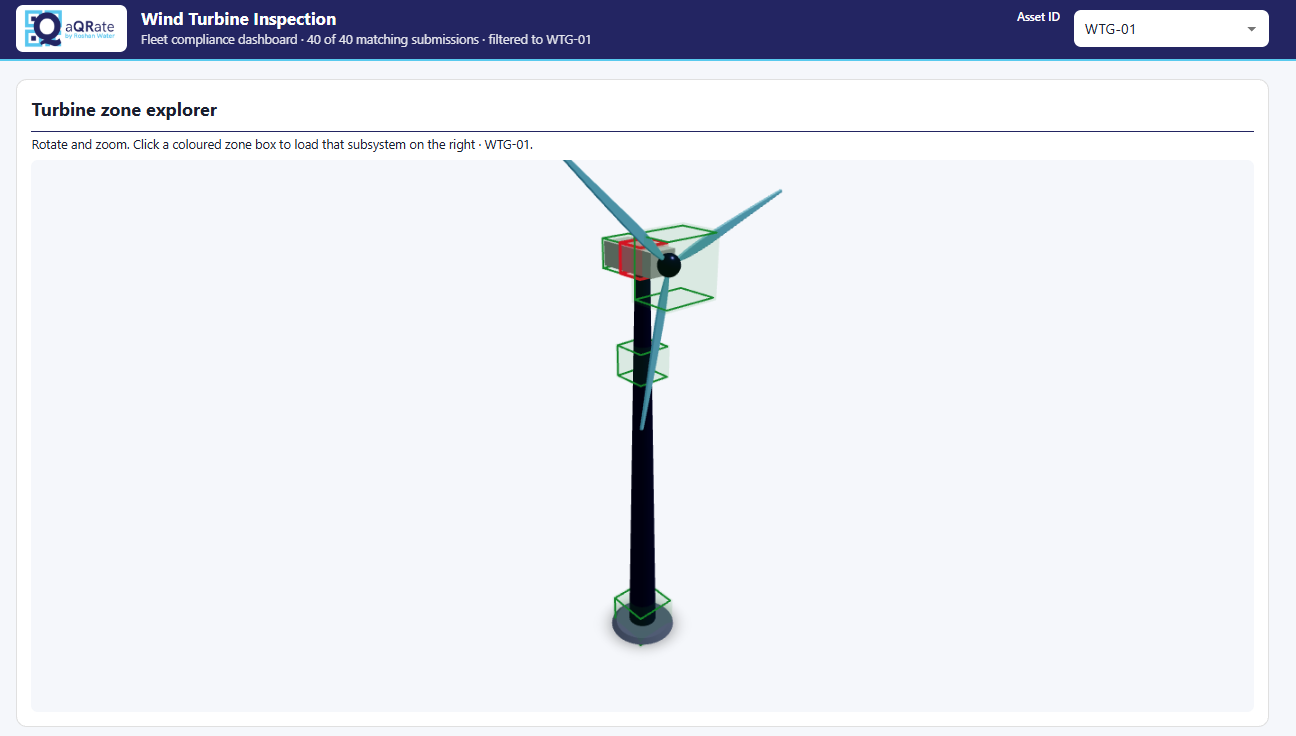 Asset Digital Twin — the turbine model as the entry point to its records (sample data). Click the picture to open the live view in the aQRate portal.
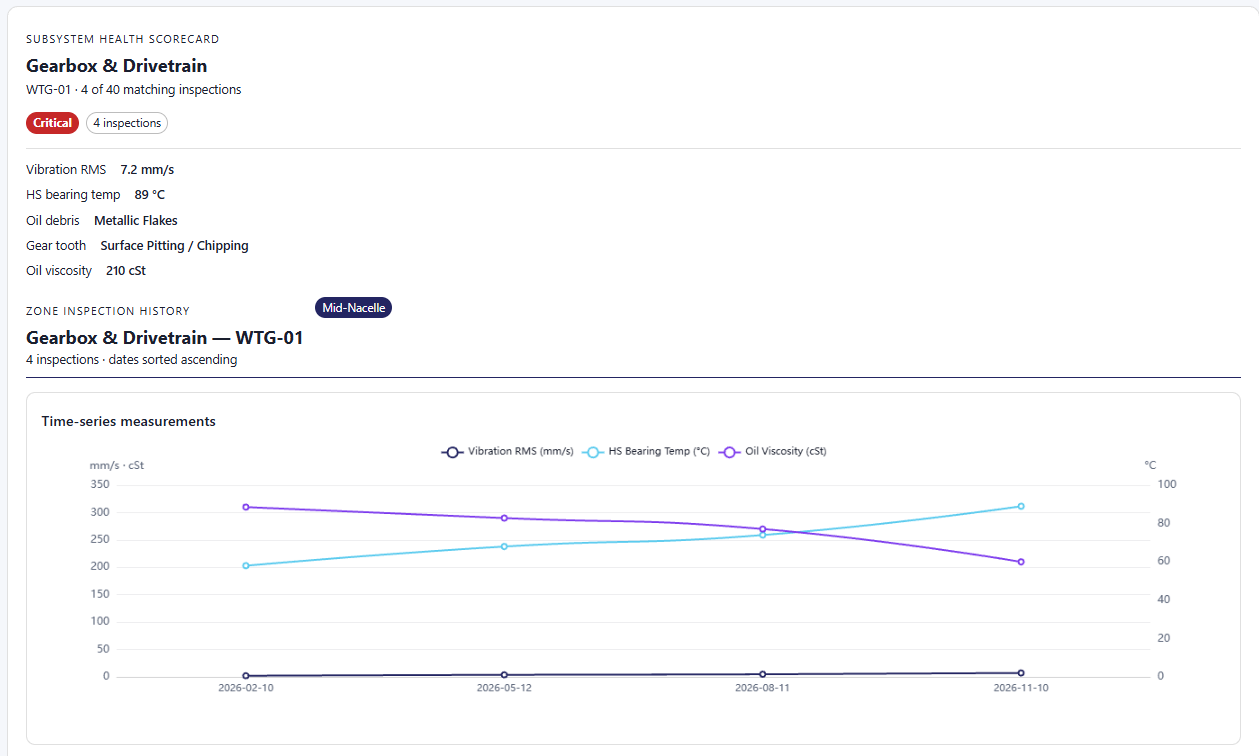 Data shown by the digital twin selection — component-level records (sample data). Click the picture to see the full report.
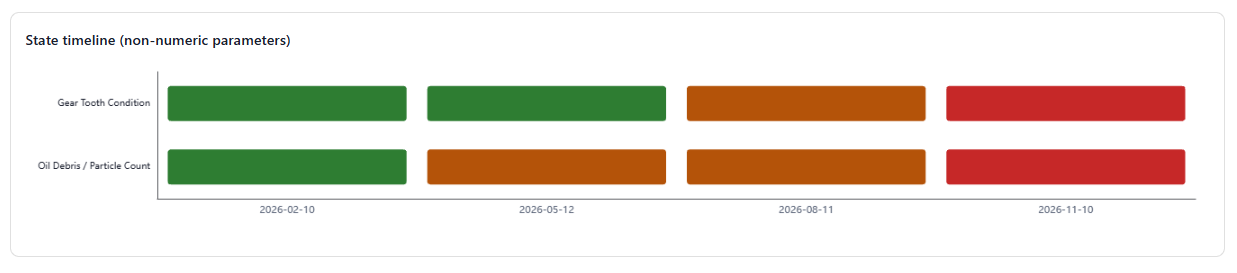 Data shown by the digital twin selection — observation detail (sample data). Click the picture to see the full report.
One connected O&M data environment
Field data that stays part of the operation.
After an inspection, field data shouldn't disappear into a spreadsheet, a photo folder or a PDF. In aQRate, every piece stays part of an organized operational data environment — attached to the asset it describes and available to the views your team uses.
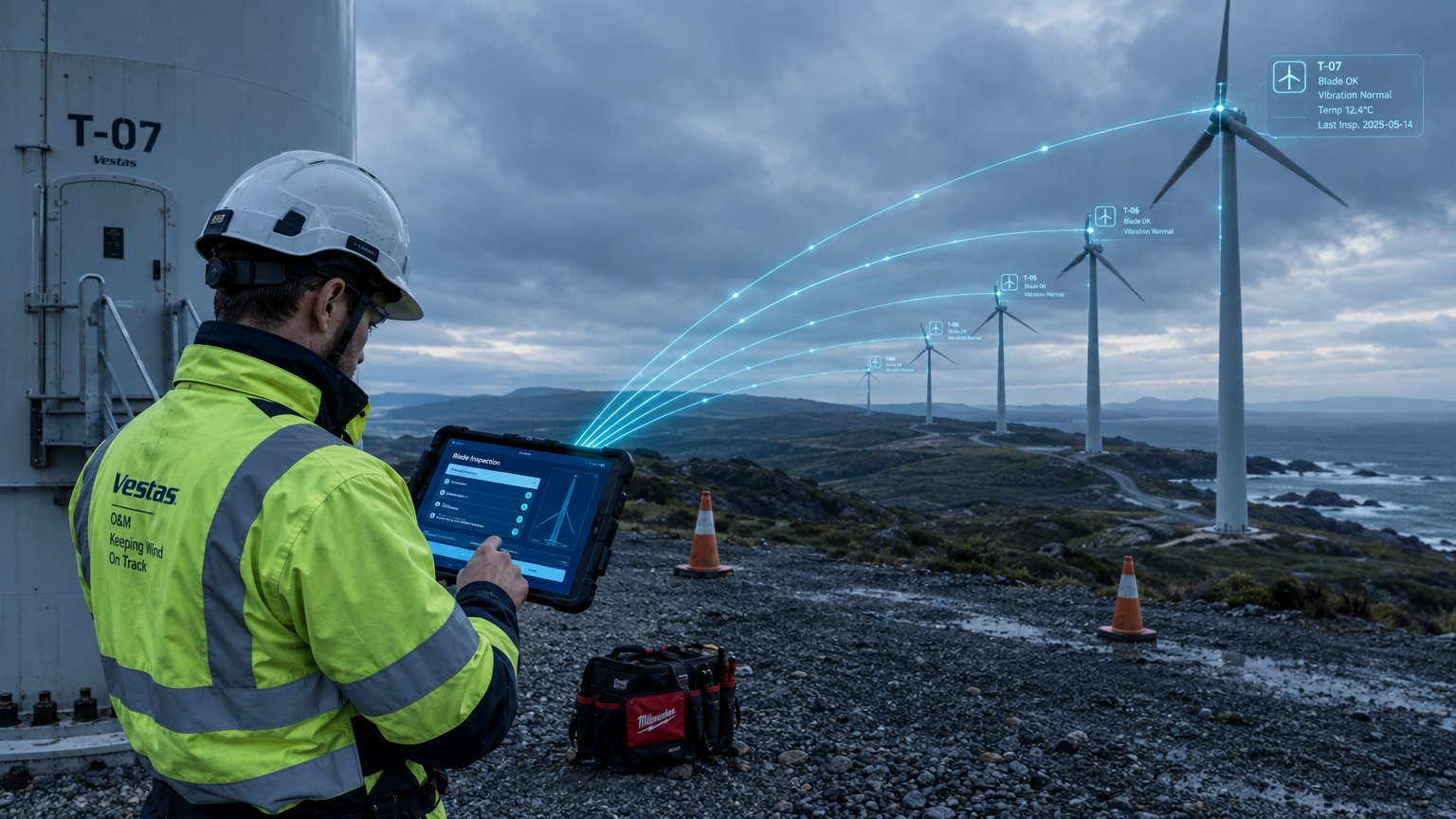
Keep your wind farm data together — reducing the cost and friction of O&M by making operational insights readily available.
From field data to operational insight
Captured once. Connected. Usable.
Every stage below happens in the same environment — so the value of a field visit compounds instead of leaking away between systems.
aQRate helps turn field data into information your O&M team can actually use. The engineering judgment stays with your engineers.
1
Capture
The technician collects structured information in the field — forms, measurements, photos.
2
Connect
Information remains associated with the correct wind farm, turbine, subsystem, component and inspection.
3
Organize
Records, photos, measurements, observations and reports remain together.
4
Visualize
GIS and digital-twin views make asset information easier to understand.
5
Act
Teams can access the information they need for O&M planning and decision-making.
Who uses aQRate for wind O&M
One record, every vantage point.
From the technician up-tower to the asset manager planning next quarter — the same connected field record serves each part of the operation.
Wind Farm Owners & Operators
Keep operational information organized across assets and teams.
Whether you run one site or a geographically dispersed fleet, the workflow is the same: capture once, keep it connected, and give every role the view it needs.
O&M Service Providers
Standardize field data collection and reporting across customers and sites.
Asset Managers
Access connected asset information and inspection history.
Operations & Maintenance Managers
Get better visibility into field activity and asset information.
Field Technicians
Capture structured information directly where the work happens — even offline.
Reliability & Engineering Teams
Access consistent field observations and historical asset information.
aQRate vs. generic digital forms
More than a paper checklist on a phone.
Putting the form on a phone solves the handwriting. It doesn't solve what happens to the information next.
A digital form captures information.
Most form apps stop at the form: a filled-in checklist that still has to be filed, matched to an asset and turned into something a manager can use.
aQRate turns it into connected operational data.
The workflow connects forms to records, records to assets, assets to reports — and reports to GIS and digital-twin views.
Commercial value
What does aQRate change for a wind O&M team?
Three outcomes, one environment.
Less administrative work
Reduce the manual effort required to collect, organize, transfer and manage field information.
Better-connected asset information
Keep inspections, observations, evidence, reports and asset records together.
More accessible operational insight
Make field information easier for the people managing assets and maintenance to access and understand.
FAQ
Wind farm O&M software: questions, answered.
The questions O&M, asset and field teams ask before they bring aQRate into their workflow.
Yes. The Wind Farm O&M Starter Template includes a Rotor & Blade Inspection form with structured fields for blade identifier, leading-edge erosion, surface cracking and delamination, lightning-receptor resistance (Ω), tip-mechanism function and photo evidence — plus a general Wind Turbine Inspection form.
Yes. The mobile apps are offline-first: technicians capture inspections, observations, measurements and photos without a connection, and records synchronize with the portal automatically when connectivity returns.
Yes. Photos attach directly to the structured inspection record, so a blade log photo stays connected to the blade, turbine and finding it documents — instead of ending up in a camera roll.
Yes. Records sit in a structured hierarchy — wind farm, turbine, subsystem, component, inspection — so every observation, photo and measurement is retrievable per asset.
Yes. Teams configure PDF report templates — like the Wind Turbine 3-Page O&M Audit in the starter template — and map accepted field information into defined report sections. Excel export is also available.
Yes. The Fleet GIS Map view plots turbine locations with their asset records and inspection information, giving geographic context to condition and history across the site.
Yes — as an operational visualization. The Asset Digital Twin view connects structured field data to a visual turbine model, so you can move from an asset-level view to component and inspection information. It is not a physics-based predictive model.
Wind farm owners and operators, O&M service providers, asset managers, operations and maintenance managers, field technicians, and reliability and engineering teams.
No. aQRate is not a replacement for SCADA or turbine condition monitoring. It is the field-data and asset-information layer alongside those systems: structured inspection capture, connected asset records, reporting and visualization.
aQRate can reduce the administrative work associated with managing field data by up to 50% — an aQRate claim based on reducing manual handling across the workflow. Actual results vary by organization.
Open the Wind Farm O&M Starter Template to start a workspace with the inspection forms, Fleet GIS Map, Asset Digital Twin, 160 sample records and the report template — or book a demo and we will walk through your workflow.
Next step
Bring your wind farm field data together.
Capture inspections offline. Keep observations and evidence connected to the assets they describe. Generate reports. Visualize your wind farm. Give your O&M team easier access to the information it needs.